
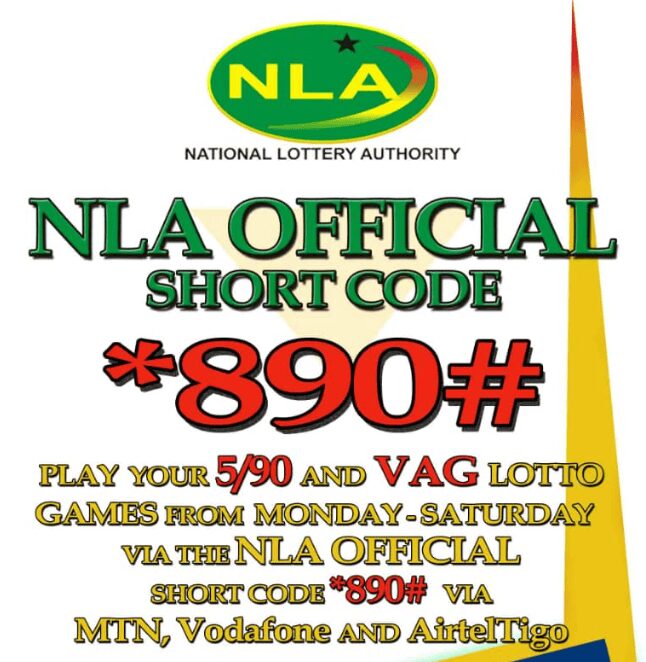
The current public NLA short code for NLA 5/90 Mobile is *959#. Other NLA products may use different codes, so always confirm the route before staking or checking lotto information. Last checked: May 2026.
The NLA short code route Ghana lotto players usually need is *959#. It is the USSD route used for NLA 5/90 mobile access on a phone, including game selection, mobile money confirmation and SMS ticket details. For MTN users, the same route should work when the phone number and mobile money wallet meet the service requirements, and the user follows the prompts correctly. The route is also linked with Ghana mobile networks such as MTN, Telecel and AT, depending on service availability and account eligibility.
A player who only wants results should not rush into staking prompts. The safer route is to use the official results area or the result information provided through the service, then compare the draw name, numbers and ticket details carefully. The short code is useful because it works without normal browsing, but it should still be treated as a transaction path when mobile money prompts appear. If the phone menu asks for confirmation, the user should read the wording before entering a PIN or approving any GHS-related action.
NLA short code quick answer for Ghana lotto users
The direct answer is simple: dial *959# to access the NLA 5/90 mobile route on a supported Ghana phone network. After dialing, the user should follow the menu, choose the intended game or service option and read every screen before confirming. On MTN, the process depends on network response, a registered mobile money wallet and the prompts shown on the phone. The code should not be treated as a lucky-number tool or prediction shortcut. It is a mobile access route for NLA 5/90 services, and any result or ticket information should be checked against the correct draw.
What code should a player dial first
The first code to try for the official NLA 5/90 mobile route is *959#. In user searches, this same route is often called an nla code, but it should be used only as a USSD entry point for the official mobile service. The user should dial it exactly as a USSD code, wait for the menu to load and then choose the relevant option shown on the phone. If the session fails, the player should not immediately assume the code is fake, because network delay or timeout can interrupt USSD menus. A second attempt should happen only after checking signal, mobile money readiness and whether the menu wording is clear. If another copied code appears online, it should be treated carefully until the player confirms it through an official route.
What is *959# used for
The *959# route is used to access NLA 5/90 mobile services on a phone. Some users describe it as a lottery code because it opens the phone menu for game-type selection, stake confirmation and mobile money approval when the user is playing through the USSD channel. It may also connect with SMS ticket details and draw communication after successful play. A user checking results should focus on the draw name and official result information, not on repeated menu attempts. If a prompt looks like a payment confirmation, the player should pause before approving anything.
NLA short code on MTN and other Ghana networks
For MTN users, the NLA short code should be read as a phone route that depends on network support and mobile money setup. A user searching for code to check lotto result on mtn should still separate result checking from staking, because *959# can lead to game and payment prompts. The official 5/90 Mobile instructions list AirtelTigo, MTN and Vodafone as the mobile money networks used for the USSD route. The user needs a working phone signal, a mobile money account registered in their name and enough clarity in the USSD menu to understand each step. The important point is not only whether the menu opens, but whether the prompt clearly matches the intended NLA 5/90 action. A player should never approve a mobile money message just because it appears after dialing the code.
How the MTN phone route should look
After dialing *959#, an MTN user should expect a USSD menu rather than a normal webpage. The menu should show service choices, game options or confirmation steps depending on the selected path. If the user is playing, the phone may request a stake amount and then send a mobile money approval prompt. If the user is checking information, the draw or result label should be read carefully before trusting the entry. Any unclear charge message should be cancelled until the player understands what the phone is asking.
| Step | What the user sees | What to check | Safer action |
| Dial code | USSD menu opens | Code is *959# | Wait for full menu |
| Choose option | Game or service list | Correct NLA 5/90 path | Do not rush selection |
| Review prompt | Stake or result wording | Draw, game or amount | Go back if unclear |
| MoMo approval | PIN or payment request | Amount and purpose | Confirm only if correct |
| SMS message | Ticket or update | Draw and ticket details | Save for comparison |
Why the code may fail on a phone
A failed USSD session does not always mean the route is wrong. The phone may lose signal, the session may time out or the user may wait too long before choosing an option. A mobile money issue can also stop the process before a ticket or confirmation is completed. If the same error repeats, the player should check network status and confirm the current service route before trying again. Repeated attempts without reading the screen can create confusion and may lead to unwanted selections.
How to check NLA lotto results without confusion
Result checking should be separated from playing or staking. A player who wants only the winning numbers should first identify the draw, then compare the result line with the intended game. The national lottery authority provides an official Winning Numbers area for draw results, while the 5/90 Mobile route also sends SMS winning numbers after the draw day when the user has played through the service. If the phone route shows a result option, the user should confirm that the draw name and numbers match the expected game. This prevents a common mistake: reading the wrong draw result and assuming the ticket has failed.
Result route versus staking route
The staking route may include game type, amount and mobile money confirmation. The result route should focus on draw information, winning numbers and ticket comparison. If a user sees a GHS prompt while trying only to check a result, that screen should be reviewed carefully. The player should not continue unless the menu clearly explains what the action does. A result check should end with information, not an accidental payment approval.
Draw name, ticket and winning numbers
The draw name matters because Ghana lotto services can show several games close together. A user should compare the ticket details with the correct draw before reading the numbers. If the ticket was bought through the mobile route, SMS information can help confirm stake, game type and draw reference. Winning numbers should then be checked against the right draw line. The player should avoid relying on screenshots that do not show draw labels clearly.
Safe use of NLA short code before GHS confirmation
The main safety rule is simple: read every phone prompt before approving anything. USSD menus can place result checks, game options and mobile money steps close together, so a rushed selection can move the user into the wrong path. GHS-related prompts deserve special attention because they may involve a charge, stake amount or payment confirmation.
- Dial *959# only when the user intends to open the NLA 5/90 mobile route.
- Check that the phone is on a supported mobile money network before selecting a game option.
- Read the full USSD screen before choosing Banker, Perm, Direct or another service option.
- Compare the stake amount, draw name and game type before approving any GHS prompt.
- Save the SMS ticket and compare it with the official winning numbers after the draw.
The code itself is only the entry point; the real decision happens when the user chooses an option and confirms a prompt. A careful process keeps result checking separate from spending.
Steps before confirming a phone prompt
Before approving any mobile money message, the user should slow down and check the full screen. This is especially important when the player expected only a result check but the phone displays a payment-related message. A correct route should make the action clear before the user enters a PIN. If the menu does not explain the next step, canceling is safer than guessing. The following checks keep the process simple.
- Code: Dial *959# only when the user intends to access the NLA 5/90 mobile route.
- Network: Confirm that the phone has signal and the mobile money wallet is active.
- Menu: Read the service option before selecting a game, result or payment step.
- Draw: Match the draw name with the ticket or result the player wants to check.
- Amount: Review any GHS figure before approving a mobile money prompt.
- SMS: Save ticket or result messages when they are needed for comparison.
These checks do not make lottery play safer in terms of outcome, because no phone route can improve the chance of winning. They only reduce confusion around menus, payment prompts and result reading. A player should still treat lotto as paid entertainment, not as a financial plan. If the menu feels unclear, the best response is to stop and verify the route again.
Common mistakes with copied codes
One common mistake is using an old or copied code from an informal page without checking whether it still leads to the intended service. Another is pressing through the menu too quickly because the user expects the result to appear immediately. Some players also confuse a game-selection path with a result-checking path. A copied code should never be trusted just because it uses familiar NLA wording. The user should confirm the route through official channels and then read the phone screen carefully.
NLA 5/90 mobile route and phone-only access
The NLA 5/90 mobile route is useful because it can work on a phone without normal browsing. Users may also call this route a national lotto code, but the function stays the same: it opens the USSD path for NLA 5/90 mobile access. This matters for users with basic handsets, weak data access or a preference for step-by-step phone menus. The route can show options step by step, which makes it practical when the user reads each screen carefully. Still, phone-only access can create errors when sessions expire or prompts are skipped. The service is convenient only when the user understands the difference between checking, playing and confirming payment.
Phone access without internet browsing
A USSD route does not need a full web browser. The user dials the code, waits for the menu and follows the instructions shown on the phone. This can be useful for quick access, but it is not a reason to ignore official result checks. The player should still compare ticket details, draw names and winning numbers before drawing conclusions. If the menu fails, the user should check network conditions rather than pressing random options.
When to stop and verify the route
The user should stop when the menu shows unclear wording, unexpected charges or a service name that does not match the intended action. A result check should not require guesswork. If the phone asks for GHS approval and the user only wanted numbers, the safer response is to cancel. If a session times out repeatedly, the player should verify the current route before continuing. Careful stopping is better than completing the wrong action.
FAQ about NLA short code and Ghana lotto result checks
What is the NLA short code in Ghana?
The NLA 5/90 mobile route commonly used by players is *959#. It is a USSD code, so the user dials it from a phone and follows the menu prompts. The code should be checked through official or recognized NLA service channels before use.
Does *959# work on MTN?
The route can work for MTN users when the network, mobile money account and service session are available. The player should wait for the USSD menu and read each prompt before choosing an option. If the session fails, signal, timeout or wallet readiness may be the problem.
Can users find a code to check lotto result on phone?
A user searching for code to check lotto result on phone should first understand whether they want a result, a ticket detail or a staking route. The *959# route can support NLA 5/90 mobile access, but results should still be compared with the correct draw.
How can a player know the route is official?
The player should confirm the route through NLA or recognized NLA 5/90 service information rather than copied messages. The phone menu should clearly show the intended service before any selection is made. Any strange prompt, unexpected charge or unclear wording is a reason to stop and verify.
 Ama Serwah
 Evelyn Mensah
 Yaw Appiah
 Kwame Ofori